


How to check used iphone before buying?
One of top 3 most important things to check before buying an iPhone is Carrier locks. It means if device is locked to a specific carrier it may not work with all other sim-cards. Get instant report now!

IF Yes,Enter your IMEI code for decision problem


How to check imei CODE?

your device IMEI

to field above

about your device

Userful information
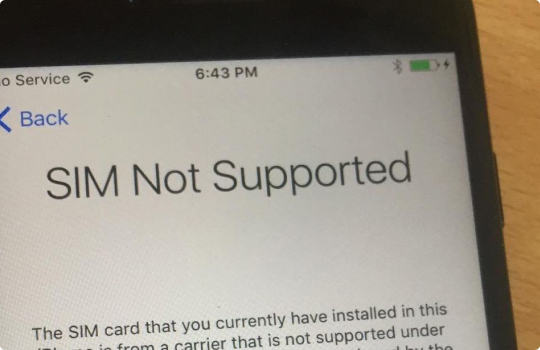
iPhone Simlock Status
IMEI.info: One of the most crucial information about your iPhone is the simlock status. After performing iPhone Carrier Check you will be sure that your Apple device is free of the network lock or you will struggle with the procedure of removing the simlock. Unlocking the iPhone by a person who is not the original owner is possible, but it can be really expensive and time-consuming. For Apple devices, there aren’t any unlock codes and the unlocking process can be performed by Apple servers only. Fortunately, you can find out all of the necessary information from Carrier Lock Status checker available on TestIMEI.info. All you need to have is the IMEI Number of your device and after a few seconds you will get the full report with simlock data.
iPhone Carrier Check
The iPhone can be unlocked based on the IMEI Number, the carrier in which it is currently used (the network in which it was originally purchased) and the origin Country of the device. Once more, you can get access to that information by using the Carrier Lock status. Let’s open the TestIMEI.info and fill in the IMEI of your Apple deivce and follow the steps on the screen. After that, you will be able to find professional service to unlock simlock protection and you can freely change the network provider. What’s worth mentioning is that the simlock unlock is done permanently, so after the software update, for the new iOS, the simlock will not come back, the iPhone will still be unlocked..
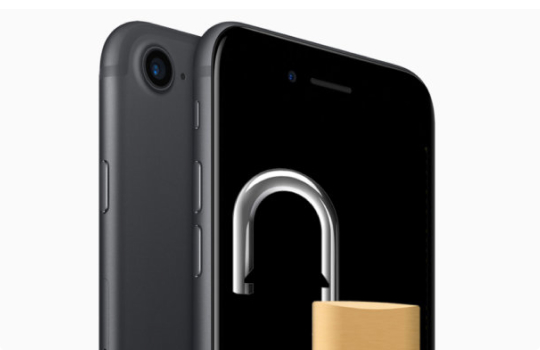
Find My iPhone Status
Another important info about iPhones and iPads is the status of Apple security protection. Here we can distinguish the Find My iPhone status and the iCloud lock. The Find My iPhone feature is part of the iCloud account service ( the account is used to synchronize information between Apple devices). When you turn on the Find My iPhone service on your iPhone, iPad, or iPod touch, your Apple ID will be safely stored on Apple servers and associated with your device. From now on, your password will be required to turn on / off the Find My iPhone service, erase the device or reactivate and use it again. After activating the Find my iPhone you can increase the chances of finding missing device.